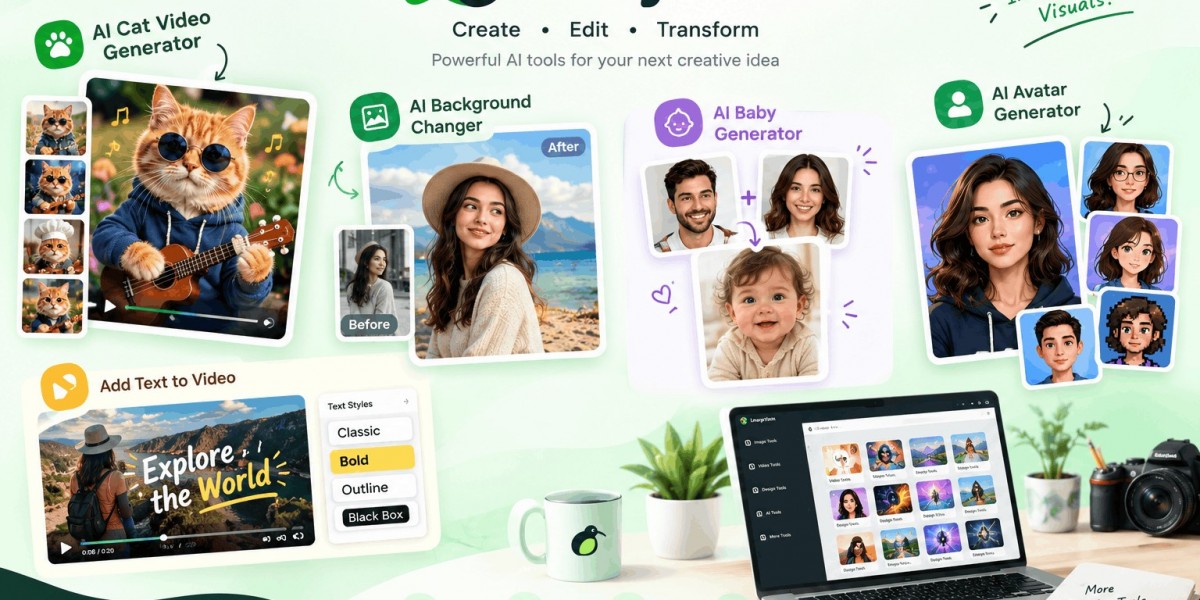
An AI cat video generator turns a cat photo into a short animated video, while an AI background changer replaces the setting behind a subject. An AI baby generator combines two parent photos into an imagined baby portrait, and an AI avatar generator turns one selfie into a stylized profile image. LazyKiwi provides all four workflows as focused browser-based creative tools.
Why These Four AI Tools Solve Very Different Problems
The surprising part of AI image and video editing is that the hardest decision often happens before generation: choosing the correct transformation.
A cat owner who wants a dancing-pet video does not need a general photo editor. A seller with a perfectly photographed product does not need to regenerate the product itself just because the kitchen behind it looks wrong. A couple wondering what a future child might look like needs a completely different workflow from someone creating a professional profile avatar.
That distinction is why focused AI tools remain useful even as general-purpose generators become more capable.
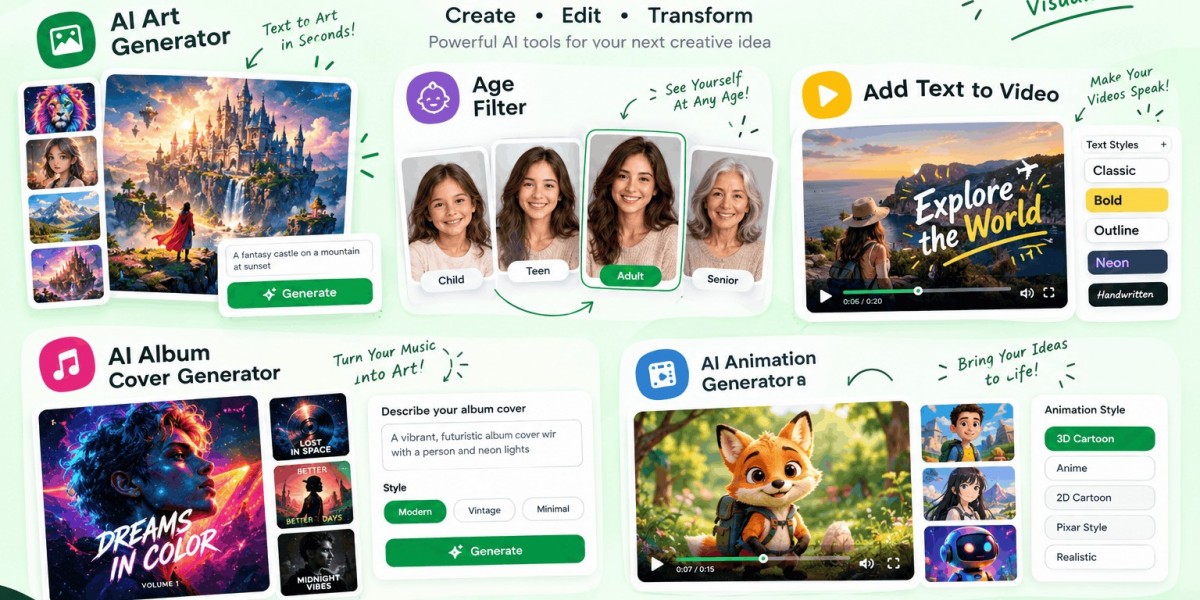
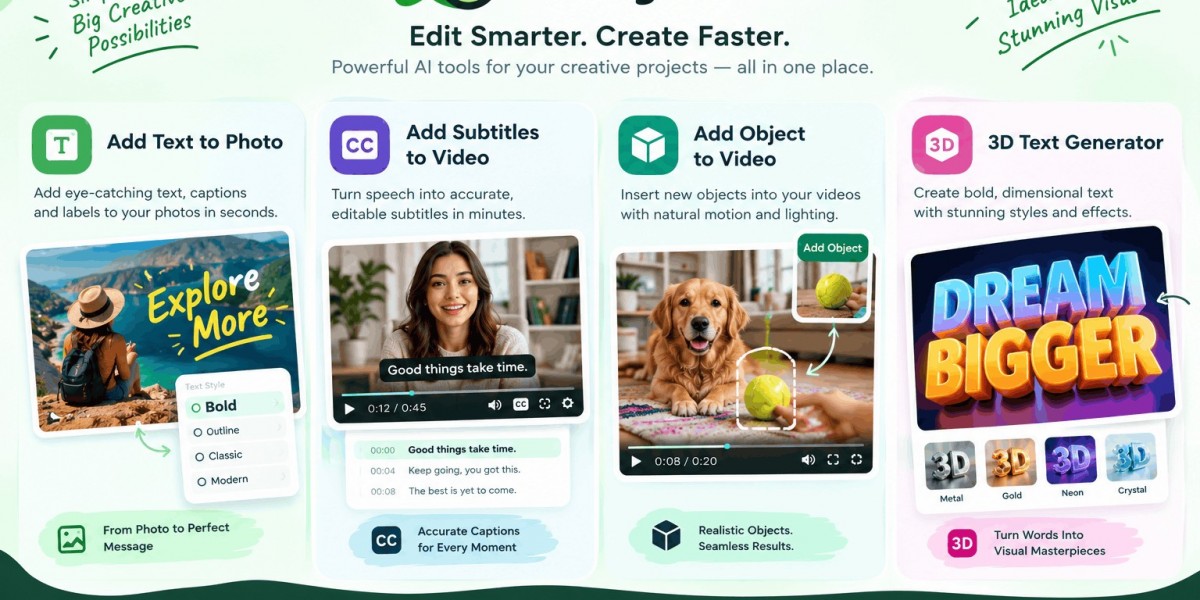
LazyKiwi currently organizes 118 creative tools across image, video, effects, design, restoration, and other workflows. Its central approach is deliberately simple: upload the asset, describe or choose the transformation, and generate the result without building a conventional editing timeline.
The four tools below demonstrate that approach from four different angles:
AI Cat Video Generator: photo → animated pet video
AI Background Changer: existing photo → new setting
AI Baby Generator: two parent photos → imagined baby portrait
AI Avatar Generator: selfie → stylized profile avatar
The best result comes from understanding what each transformation preserves, what it changes, and where AI can still make mistakes.
1. What Is an AI Cat Video Generator?
An AI cat video generator turns a still photograph of a cat into a short video in which the cat performs an action.
LazyKiwi's AI Cat Video Generator starts with one cat photo. You can choose a prepared action such as piano, cooking, waving, DJ, singing, guitar, stretching, or dancing, or describe your own action. The output is a vertical MP4 designed for easy sharing.
How does an AI cat video generator work?
The uploaded photograph acts as the visual reference.
Instead of inventing an entirely new cat from a text prompt, the model uses the supplied image to guide characteristics such as fur pattern, eye color, face, and body build. The motion is then generated around that visual identity.
That difference matters.
Suppose you upload a photograph of a long-haired orange tabby. A generic text-to-video prompt might create an orange tabby. A photo-driven workflow starts with your actual cat.
LazyKiwi's tool is specifically designed around this distinction: the uploaded image remains the reference while the selected action supplies the movement.
What photo works best?
Use a clear photograph where the entire cat is visible.
A full-body shot gives the model more information about:
Body proportions
Leg position
Fur pattern
Tail shape
Facial features
Overall posture
Avoid photographs where the cat is heavily cropped, hidden behind furniture, extremely dark, or covered by a strong filter.
What can you make with it?
The obvious answer is funny social content, but the format has broader uses.
A pet creator could turn a cat photograph into a recurring character. A shelter could create a playful introduction video for an adoptable animal. A pet brand could use an animated mascot in a short social post.
The strongest clips usually have one clear action rather than five actions competing for the same few seconds.
For example:
“My orange tabby plays a tiny piano in a cozy living room.”
is easier to control than:
“My cat plays piano, cooks dinner, dances, drives a car, sings and becomes a superhero.”
Give the model one job at a time.
Try LazyKiwi's AI Cat Video Generator
2. How Does an AI Background Changer Replace a Photo Background?
An AI background changer replaces the environment behind a person, pet, or product while keeping the primary subject.
LazyKiwi's workflow lets you upload the subject photo and either provide your own background image or describe a new setting. The system rebuilds the surrounding scene while working around details such as hair, edges, and shadows.
Why is background replacement harder than simply cutting someone out?
Because a believable composite needs more than a clean silhouette.
Imagine a portrait photographed beside a window. Light comes from the left, the subject casts a soft shadow, and individual hairs catch the light.
Now place that person on a beach where the sun appears to come from the right.
Even if the cutout is perfect, the result can still look fake.
The visual problem is a lighting relationship.
A convincing background change needs the subject and new environment to agree on:
Light direction
Brightness
Color temperature
Ground contact
Shadow behavior
Perspective
Edge detail
LazyKiwi specifically positions its background changer around these details, including hair and soft edges rather than relying on a crude hard cutout.
Can you use your own background?
Yes.
You can upload a background image when you already have the exact scene you want. Alternatively, describe the setting and let the AI construct it.
For example:
“Clean light-gray studio wall, soft window light from the left, subtle floor shadow.”
That instruction gives the generator more useful visual information than:
“Make it professional.”
What are the best uses?
E-commerce: Put products against a consistent studio background.
LinkedIn: Move a good portrait out of a distracting home environment.
Real estate: Create a cleaner visual setting around an existing subject.
Social media: Put the same person into multiple environments without arranging separate shoots.
The critical review step is the same in every case: zoom in around hair, glasses, fingers, product edges, and shadows before publishing.
Try LazyKiwi's AI Background Changer
3. What Does an AI Baby Generator Actually Generate?
An AI baby generator creates an imagined baby portrait from photographs of two parents.
LazyKiwi's AI Baby Generator uses one photo of each parent and lets you choose characteristics such as age, gender, and resemblance direction. Available age choices range from newborn through toddler, with settings including a studio, nursery, park, and home environment.
How does an AI baby generator work?
The system analyzes visual characteristics in the supplied portraits and generates a new face that visually combines features from both inputs.
Those features can include:
Eye appearance
Hair characteristics
Skin tone
Face shape
Nose and lips
Smile and expression
The important word is visual.
An AI baby generator does not perform a genetic test. It does not know which traits a future child will actually inherit.
The output is an AI-generated visualization designed for curiosity and entertainment.
What photos should parents upload?
Use one clear portrait for each parent.
The best source images generally have:
Face facing the camera
Good, even lighting
Minimal obstruction
No sunglasses
No heavy beauty filters
One person per image
This gives the model a cleaner facial reference.
Can you choose the baby's age?
LazyKiwi currently offers several stages, including newborn, six months, one year, and three years. You can also choose boy, girl, or a surprise result and adjust whether the generated appearance leans toward one parent or an even mix.
That makes the tool more flexible than simply asking, “What will our baby look like?”
You can instead explore a controlled creative scenario:
“What might our child look like at one year old?”
or
“Show a three-year-old version with an even mix of both parents.”
Is an AI baby generator accurate?
No generator should be presented as a biological prediction.
The result represents what an AI model can construct from the visual information in the uploaded photographs. Genetics are far more complicated than blending two faces.
This is one of the most important trust signals for this category: enjoy the generated portrait, but don't mistake it for a forecast.
Try LazyKiwi's AI Baby Generator
4. What Is an AI Avatar Generator and Who Needs One?
An AI avatar generator transforms a person's photograph into a stylized digital representation suitable for a profile image, community account, gaming identity, or social presence.
LazyKiwi's AI Avatar Generator starts from one selfie and supports styles such as 3D, flat vector, anime, line art, watercolor, pixel art, sticker cut-out, duotone, and clay-inspired looks. The output is square and centered for profile-picture cropping.
What does the AI preserve?
A good avatar should remain recognizable.
LazyKiwi's workflow is built to retain elements such as face shape, hairstyle, skin tone, glasses, and expression while changing the visual rendering.
This creates a useful distinction:
Identity stays. Style changes.
For example, the same selfie can become:
A 3D character
An anime portrait
A watercolor illustration
A pixel-art avatar
A flat vector profile image
Why does the square format matter?
Most profile systems display avatars inside circles or small squares.
A beautiful portrait that places the face near the edge can become a poor profile picture after cropping.
That is why composition matters almost as much as style.
LazyKiwi centers the face and shoulders in a square output so the image remains readable when platforms apply their own circular crop.
What makes a good avatar source photo?
Choose:
A front-facing selfie
Open eyes
Even lighting
Face clearly visible
Head and shoulders inside the frame
Minimal obstruction
Avoid group photographs when the goal is a single-person avatar.
Can an AI avatar become a talking avatar?
Not automatically.
An image avatar and a video avatar are different products.
LazyKiwi's AI Avatar Generator creates the image. If you want movement, the generated avatar can be taken into a photo-animation workflow to create motion such as a wave or nod.
That separation is useful because it prevents you from expecting an avatar-image generator to perform lip-sync, voice synthesis, and full video production.
Try LazyKiwi's AI Avatar Generator
What Is the Biggest Myth About These AI Generators?
The biggest misconception is that more complicated prompts automatically produce better results.
They often do not.
A prompt should contain the information the model needs for the specific transformation. Extra instructions can introduce competing priorities.
Consider an AI cat video.
Weak:
“Make my cat into an amazing viral cinematic funny musical video with dancing, cooking, singing, fireworks, a city background and dramatic camera movement.”
Better:
“My orange tabby plays a tiny piano in a warm living room. Keep the cat's fur pattern and blue collar. Gentle camera push-in.”
The second prompt establishes a subject, action, environment, identity details, and camera behavior without asking the model to solve six unrelated scenes.
The same rule applies to backgrounds, baby portraits, and avatars.
Specific beats complicated.
How Should You Choose Between These Four AI Tools?
Use the LazyKiwi One-Upload Rule: identify the asset you already have, then select the tool that changes exactly that asset in the way you need.
The decision matrix
Your starting asset | What you want | Best tool |
Cat photograph | Make the cat move | AI Cat Video Generator |
Portrait/product/pet photo | Replace the environment | AI Background Changer |
Two parent portraits | Imagine a baby portrait | AI Baby Generator |
Selfie | Create a stylized profile identity | AI Avatar Generator |
The rule becomes even clearer when you describe the desired output:
Photo + motion = AI Cat Video Generator
Photo + new environment = AI Background Changer
Two faces + imagined child = AI Baby Generator
One face + new visual style = AI Avatar Generator
This is our practical way of avoiding unnecessary editing steps. Instead of opening a large editor and searching through dozens of features, start with the smallest tool that can perform the transformation.
What Should You Check Before Publishing an AI-Generated Result?
Generation is not the final quality-control step.
We recommend a simple S.E.E. check:
S — Subject
Does the person, pet, or product still look correct?
Look at faces, fur patterns, hands, glasses, logos, packaging, and distinctive features.
E — Environment
Does the lighting and perspective make sense?
A subject standing on a beach should not have an indoor-looking shadow. A product on a marble table should not appear to float above it.
E — Export
Does the file fit its destination?
Check orientation, cropping, resolution, compression, and platform requirements before posting.
This three-step review catches a problem that many AI-tool comparisons ignore: a technically generated image is not automatically a finished creative asset.
How Can AI Creative Tool Pages Perform Better in AI Search?
AI Overviews and AI Mode change how people discover information, but they do not eliminate the fundamentals of search optimization.
Google's guidance states that existing SEO best practices remain relevant for AI features and that there are no special additional requirements for appearing in AI Overviews or AI Mode.
For tool-focused content, the practical opportunity is to answer specific questions clearly enough that a search system can understand the page.
For example:
What is an AI cat video generator?
A tool that transforms a cat image into animated video.
Can I change a photo background without a green screen?
Yes, an AI background workflow can separate the subject and generate or insert a replacement environment.
Is an AI baby generator a genetic prediction?
No. It is a visual AI interpretation based on supplied photographs.
What does an AI avatar generator do?
It transforms a person's photograph into a stylized digital profile image.
This structure helps humans first. The same clarity also gives search engines and generative systems clean concepts to interpret.
The stronger approach is not keyword repetition. It is clear definitions + mechanisms + limitations + real use cases.
[Rankup Genius Original Framework] The 4-Question AI Tool Test
Before opening an AI creative tool, ask four questions.
1. What do I already have?
A photo?
A video?
Two portraits?
A selfie?
2. What must change?
Motion?
Background?
Identity style?
A hypothetical child?
3. What must remain unchanged?
Your cat's markings.
A product's packaging.
A person's recognizable face.
The important visual details in a portrait.
4. Where will the result be used?
TikTok?
Instagram?
LinkedIn?
A marketplace listing?
A personal family post?
The answer determines the right workflow.
For example:
Input: One cat photograph
Change: Add movement
Preserve: Cat identity
Destination: TikTok
→ AI Cat Video Generator
Or:
Input: Product photograph
Change: Kitchen background
Preserve: Product shape and packaging
Destination: Online store
→ AI Background Changer
This framework is intentionally simple because creative tools should remove decisions, not create more of them.
FAQ
What is an AI cat video generator?
An AI cat video generator turns a cat photograph or description into a short AI-generated video. A photo-based workflow can use the uploaded cat as the visual reference while generating an action such as dancing, waving, cooking, or playing an instrument. LazyKiwi's tool starts with one cat photo and provides ready-made actions or a custom action description.
How do I make an AI video of my cat from a photo?
Upload a clear photograph showing your cat, select an action such as piano, cooking, waving, or dancing, and generate the clip. LazyKiwi is designed around a one-photo workflow, so you do not need to write a complicated animation prompt for its preset actions. A full-body, well-lit photograph generally gives the model more useful information about the cat's appearance.
What is an AI background changer?
An AI background changer replaces the environment surrounding a subject while attempting to preserve the subject itself. Instead of manually tracing hair, clothing, fur, or product edges, the AI identifies the foreground and generates or inserts a new setting. LazyKiwi lets you upload a background or describe the scene you want behind the original subject.
Can I change a photo background without removing the person first?
Yes. An AI background changer can perform the subject separation as part of the same workflow. LazyKiwi is designed to replace the area behind a person, pet, or product while preserving the subject, including fine edges such as hair and fur. You can then describe a new environment or provide your own background image.
What is an AI baby generator?
An AI baby generator creates an imagined baby portrait from photographs, commonly one image of each parent. LazyKiwi combines visible characteristics from both supplied portraits and lets users explore different baby ages, gender choices, settings, and resemblance preferences. The result should be treated as a creative visualization rather than a genetic prediction.
Is an AI baby generator accurate?
No AI baby generator can reliably predict exactly what a future child will look like. These systems generate an image from visual characteristics in the supplied photographs; they do not perform genetic analysis or determine an actual future child's inherited traits. The output is best understood as an entertainment-focused visualization of what a child could look like.
What is an AI avatar generator used for?
An AI avatar generator creates a stylized digital version of a person's photograph. It is useful for profile pictures, gaming identities, social accounts, community profiles, and professional platforms where a distinctive visual identity is useful. LazyKiwi's avatar workflow uses one selfie and offers styles including 3D, vector, anime, watercolor, pixel art, and clay-inspired looks.
What is the difference between an AI avatar generator and a profile picture maker?
A traditional profile picture maker usually crops, resizes, or decorates an existing photograph. An AI avatar generator changes the visual representation itself while attempting to preserve the person's recognizable characteristics. LazyKiwi's AI Avatar Generator keeps the face recognizable while changing the rendering style and outputs a centered square designed for common circular profile crops.
AI cat video generator vs AI avatar generator: which one should I use?
Choose an AI cat video generator when you want to turn a cat image into moving footage. Choose an AI avatar generator when you want to transform a person's selfie into a stylized still profile image. The key difference is both the subject and output: one creates pet video, while the other creates a personal avatar image. LazyKiwi provides separate workflows for each purpose.
Can I use an AI background changer for product photos?
Yes. Product photography is one of the clearest use cases because the product can remain the visual focus while the surrounding environment changes. For example, a seller can photograph a bottle once and generate a clean studio background, lifestyle kitchen, or branded setting. Always inspect packaging text, logos, product geometry, contact shadows, and reflections before publishing the final image.
Conclusion
The right AI tool is usually the one that makes one specific transformation well.
Use an AI cat video generator when you want a photograph of your pet to become motion. Use an AI background changer when the subject is good but the setting is wrong. Choose an AI baby generator when you want an entertaining visual interpretation from two parent portraits. Use an AI avatar generator when you want a recognizable selfie transformed into a distinctive profile identity.
LazyKiwi brings these focused workflows together with a broader browser-based creative workbench, so you can move from one transformation to another without building a complicated editing process from scratch.
Save this guide as a quick decision reference: identify the input, define the change, protect what matters, then choose the smallest tool that completes the job.