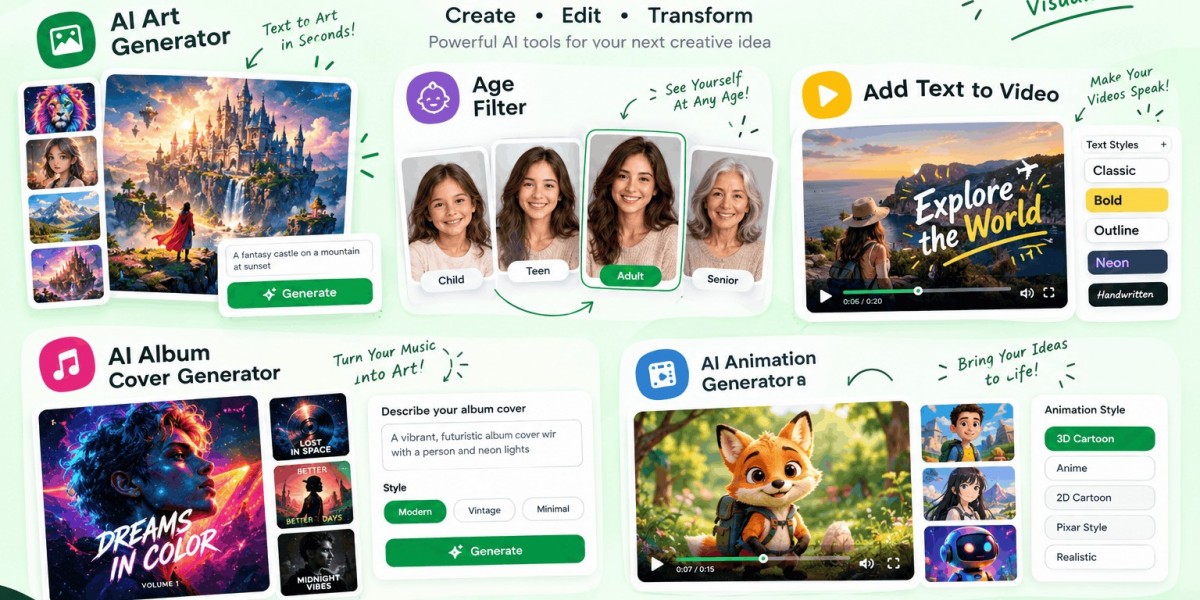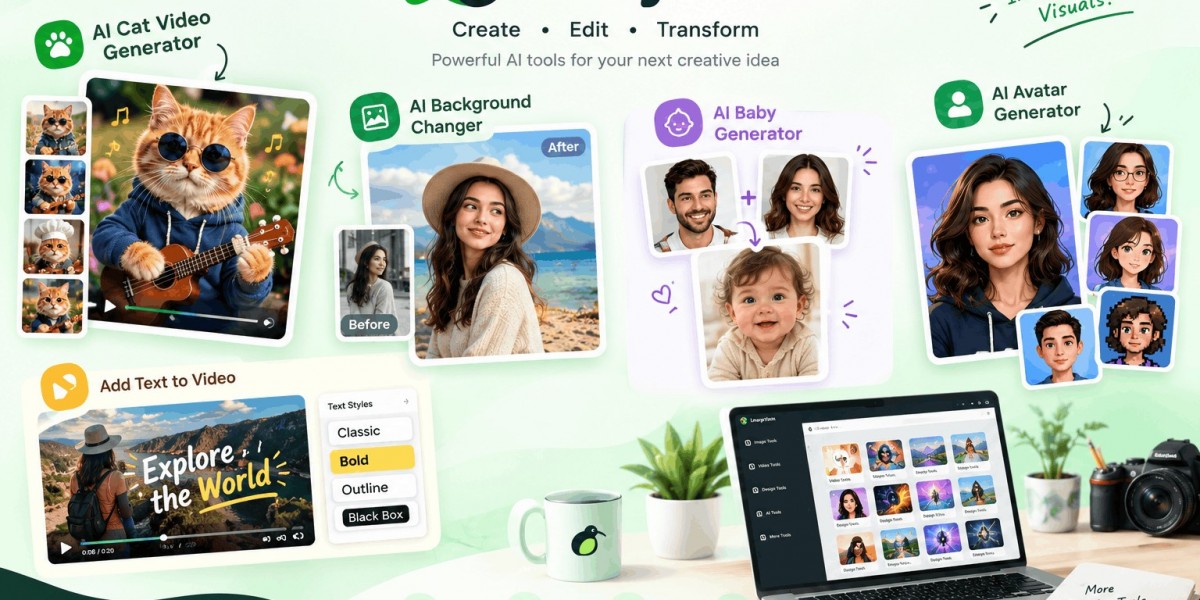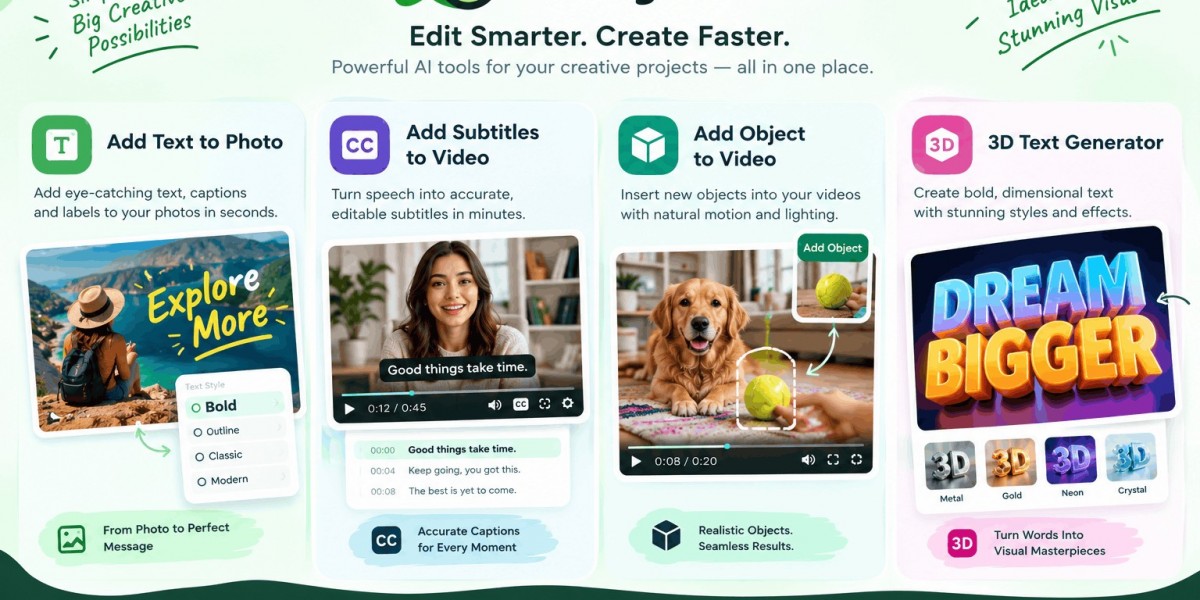
You can add text to a photo, add subtitles to a video, insert a new object into existing footage, or create dimensional 3D lettering with LazyKiwi. Each tool handles a specific editing job in the browser: text can be placed on images, speech can become editable captions, objects can be added to moving footage, and 3D text can be generated from a word plus a description of its material and lighting.
Why Four Small AI Tools Can Beat One Complicated Editor
The surprising part of AI editing is that more controls do not always produce better results. If all you need is a headline on a product photo, spending ten minutes building layers, masks, and typography settings is unnecessary. The same is true when a video needs captions or a missing prop needs to appear in one shot.
That is the thinking behind LazyKiwi’s tools: one upload, one focused job, one finished result. The current workbench lists 118 tools covering image editing, video effects, motion graphics, restoration, design, and related creative tasks.
For creators, marketers, social media teams, and small businesses, that changes the workflow. Instead of learning a large editing application for every occasional task, you can choose the tool that matches the job.
The four searches covered here represent four different editing problems. Adding text is about visual communication. Subtitles are about spoken information. Adding an object is about changing what exists inside footage. A 3D text generator is about making typography itself part of the visual.
The distinction matters because each requires a different editing mechanism.
How Do You Add Text to a Photo?
Add text to photo means placing a headline, caption, label, quote, price, announcement, or other written message directly onto an image.
LazyKiwi’s Add Text to Photo tool is designed around that simple requirement. Rather than treating the photo as a blank canvas that needs a complicated design workflow, the tool lets you add a headline or caption while preserving the visual relationship between the text and the image.
When should you add text to a photo?
A few common examples:
A product photograph needs a promotional headline.
A social post needs a short announcement.
A travel photograph needs a location label.
A birthday picture needs a personalized message.
A blog image needs a readable title.
A thumbnail needs a strong visual hook.
The important distinction is between adding information and redesigning the entire image. If the photograph already works and only needs words, a focused text tool is usually the faster route.
Why placement matters more than adding more effects
Text competes with the image for attention. A headline placed over a person's face, a busy product area, or a high-detail background becomes difficult to read.
A better approach is to use the image's natural negative space. If the left side contains a plain wall or sky, place the headline there. If the subject occupies the center, keep the text away from the focal point.
For example, imagine a coffee product photographed on a clean wooden table. Instead of covering the cup with “Fresh Every Morning,” position the message in the open area beside it. The image remains recognizable and the message becomes easier to scan.
Add text without rebuilding the whole design
This is where a focused AI photo workflow can be useful. LazyKiwi places Add Text to Photo alongside other image tools such as its AI Photo Editor, Background Remover, AI Poster Generator, AI Thumbnail Maker, and Edit Text in Image tool.
That creates a practical workflow:
Photo → add text → adjust the image if needed → export
You do not need to turn every small edit into a full design project.
How Do You Add Subtitles to a Video?
Add subtitles to video means converting spoken dialogue into timed text and placing those captions into the finished video.
This is different from ordinary text overlays. A title says something you typed. Subtitles represent what someone actually says.
LazyKiwi's Add Subtitles to Video tool can transcribe speech into caption lines, lets you review and edit the text and timing, and then burns the subtitles into the video. It can also accept existing SRT or ASS subtitle files.
What is the difference between subtitles and text overlays?
Consider a cooking video.
A text overlay might say:
“3 ingredients”
A subtitle would reproduce the spoken sentence:
“You only need three ingredients for this recipe.”
They serve different purposes.
The first communicates an intentional visual message. The second represents dialogue.
LazyKiwi keeps these workflows separate: use Add Subtitles to Video when the words come from speech, and Add Text to Video when you want to type your own titles, labels, hooks, or calls to action.
Why should you review AI-generated subtitles?
Automatic transcription saves time, but it should not be treated as the final proofreader.
Names, technical terms, accents, background noise, fast speech, and unusual brand names can produce errors. A single wrong word can change the meaning of a sentence.
LazyKiwi's workflow therefore puts a review step between transcription and rendering. You can correct the wording, change timing, remove lines, add missing lines, or recognize the speech again before the captions become part of the video.
That is a useful production rule:
Transcribe → review → correct → burn in → publish
When are burned-in subtitles useful?
Burned-in subtitles are permanently rendered into the video image. They cannot be switched off, but they also do not depend on the playback platform supporting a separate subtitle track.
That makes them useful for short-form social content, interviews, tutorials, explainers, podcast clips, and videos designed for viewers who may watch without sound. LazyKiwi supports MP4 and MOV uploads up to five minutes for this tool, with the original audio retained in the exported MP4.
How Can You Add an Object to Existing Video?
Add object to video is an entirely different problem from adding text or captions. You are asking AI to introduce a new visual element into footage that has already been recorded.
LazyKiwi's Add Object to Video tool works from a text description. You can describe what should appear and where it belongs—for example, a coffee mug on a desk or a framed poster on a wall. The tool is designed to match the object's scale, perspective, lighting, and position as the camera moves.
What can you add?
Useful examples include:
Products
Furniture
Plants
Signs
Food
Vehicles
Everyday props
Pets and other scene elements
Imagine a product shoot where the camera operator captured the perfect shot but forgot to place a branded box on the table. Reshooting the scene may mean arranging the location, camera, lighting, talent, and schedule again.
Object insertion offers another route: describe the missing element and generate it into the existing footage.
The key mechanism: scene consistency
A believable inserted object cannot simply float on top of a video.
It needs to behave as if it was present when the camera recorded the shot. That means its apparent size should make sense, its position should relate to the surrounding surfaces, and its lighting should fit the scene.
Camera movement makes this harder. If the camera pans across a desk, an object added to that desk needs to remain anchored to the desk rather than sliding across the frame.
That is why object insertion is more demanding than placing a static sticker over a video.
A practical three-step process
LazyKiwi keeps the workflow deliberately short:
Upload the footage.
Describe the object and its location.
Generate, inspect, and refine.
If the object is too large or appears in the wrong position, rewrite the description and generate again.
This iterative approach is particularly useful when the first result is visually close but not production-ready.
What should you not expect?
AI object insertion is not a replacement for every professional compositing workflow.
If a production requires exact brand packaging, frame-perfect art direction, complex interactions, or highly controlled VFX, a traditional compositing pipeline may still provide more control.
For quick social videos, product concepts, creative experiments, and footage that needs one missing element, however, an AI-first workflow can eliminate much of the manual work.
What Is a 3D Text Generator and How Does It Work?
A 3D text generator creates dimensional lettering with depth, surfaces, lighting, bevels, and shadows instead of treating text as a flat graphic.
LazyKiwi's 3D Text Generator takes a different approach from basic extrusion effects. You provide a short word or phrase and describe the material, mood, angle, bevel, and lighting. The system generates the lettering as a rendered visual object.
What makes 3D lettering look convincing?
Three elements do most of the work:
Extrusion creates the visible depth behind the front face.
Beveling controls how sharply the edges transition from the face to the sides.
Lighting tells the viewer how the material occupies three-dimensional space.
A chrome word without believable reflections looks like silver-colored text. Chrome with a consistent reflection and shadow starts to read as a physical object.
The same principle applies to glass, gold, rubber, plastic, stone, and neon-inspired materials.
Which materials work best for different designs?
Chrome: Good for futuristic, automotive, gaming, and premium visuals.
Gold: Works well for luxury campaigns, awards, and celebratory graphics.
Inflated rubber: Better for playful thumbnails and youth-oriented designs because its rounded depth remains visually strong when reduced.
Glass: Visually striking but harder to read, especially at small sizes.
Matte plastic: Useful when you want depth without excessive reflections.
LazyKiwi recommends keeping generated lettering short because long words become harder to render cleanly in perspective. The tool specifically recommends checking spelling at full size before using the final image.
3D text is not automatically better
This is one of the most common mistakes.
A three-dimensional headline can actually reduce readability when the extrusion is too deep, the bevel is too soft, or the material creates excessive reflections.
For a YouTube thumbnail, for example, a shallow extrusion with a strong silhouette may perform better visually than a highly detailed metallic render.
Start simple. Increase depth only when the word still reads clearly at the final display size.
Which Tool Should You Use for Each Creative Job?
The easiest way to choose is to start with the thing you need to change, not the software you already know.
Your goal | Best workflow | Why |
Put a headline on an image | Add Text to Photo | Changes the message without redesigning the whole image |
Turn speech into captions | Add Subtitles to Video | Transcribes and times spoken words |
Put a missing prop into footage | Add Object to Video | Generates an object into an existing scene |
Create dimensional lettering | 3D Text Generator | Builds depth, material, bevel, and lighting |
Add a typed title to footage | Add Text to Video | Gives each text line its own timing |
Remove something from footage | AI Video Object Remover | Rebuilds the area behind the unwanted object |
LazyKiwi's broader workbench connects these jobs rather than forcing them into one overloaded editor. Its AI video editor, for example, brings object removal, background changes, enhancement, text, subtitles, restyling, stabilization, and other focused edits into one browser workflow.
[Rankup Genius Original Framework] The 4-Layer Creative Edit Test
Before choosing an AI editing tool, classify the change into one of four layers:
Layer 1 — Message
Ask: Am I changing what the viewer reads?
Use Add Text to Photo or Add Text to Video.
Example: adding “20% Off This Week” to a product campaign.
Layer 2 — Speech
Ask: Am I making spoken information visible?
Use Add Subtitles to Video.
Example: turning an interview into a captioned social clip.
Layer 3 — Scene
Ask: Am I changing what physically appears inside the footage?
Use Add Object to Video.
Example: adding a product package that was missing during filming.
Layer 4 — Dimension
Ask: Is the typography itself the visual asset?
Use the 3D Text Generator.
Example: creating “SUMMER SALE” as dimensional chrome lettering for a campaign cover.
This framework prevents a common workflow error: choosing a large general-purpose editor when the job is actually one precise transformation.
Does AI Editing Replace Traditional Design Software?
No. It changes where traditional software makes sense.
A focused AI tool is excellent when you know the transformation you want but do not want to manually build every intermediate step. Traditional editors remain stronger when you need extensive layer control, detailed masking, custom typography systems, complex timelines, or exact compositing.
Think of AI tools as specialized power tools, not a replacement for the entire workshop.
For example, you might use LazyKiwi to remove an object, add subtitles, or create a 3D title, then finish a larger campaign in your normal editing application. LazyKiwi itself describes its video editor as something that can work alongside desktop editing software when you need multi-track timelines and longer cuts.
That distinction makes the workflow more realistic and more useful.
How Can These Tools Support AI Search Visibility?
AI Overviews and other generative search experiences do not reward a page simply because it contains a large number of keywords.
Google's current guidance emphasizes helpful, original, people-first content and specifically recommends demonstrating first-hand expertise rather than producing commodity summaries. Google also says there are no additional technical requirements for eligibility in AI features beyond being indexed and eligible to appear in normal Search.
That creates an opportunity for tool pages and supporting articles.
A useful page should make the answer easy to extract:
Define the tool in one sentence.
Explain the mechanism.
Give a concrete use case.
State limitations.
Explain the workflow.
Link directly to the relevant tool.
Provide real examples or outputs where possible.
For LazyKiwi, this is especially relevant because the tools themselves provide the functional experience. The article can explain why someone would choose each workflow, while the tool lets that person perform the edit.
Google's generative-AI guidance also recommends unique viewpoints and non-commodity content rather than simply recycling information already available elsewhere.
That is why the practical distinctions between text, subtitles, objects, and dimensional typography matter more than repeating generic statements about “AI-powered creativity.”
What Is the Biggest Misconception About AI Editing Tools?
The myth is that AI automatically produces a finished professional asset without review.
It does not.
The quality of an AI edit depends on the input, the requested transformation, the visual complexity of the source, and the amount of human checking afterward.
For subtitles, review spelling and timing.
For object insertion, inspect whether the object remains believable through camera movement.
For 3D text, check every letter and examine the design at its actual publishing size.
For photo text, check contrast and whether the typography covers the image's subject.
LazyKiwi's own tool documentation reflects this approach: its subtitle workflow includes editing before rendering, while its 3D text workflow explicitly recommends checking generated spelling.
AI removes repetitive production work. It does not remove judgment.
FAQ: Add Text, Subtitles, Objects and 3D Text
How do I add text to a photo?
Upload the image to a photo editing or text-overlay tool, choose the text you want to display, and position it where it remains readable without covering the main subject. LazyKiwi's Add Text to Photo tool is designed for headlines and captions directly on images, making it useful for social graphics, promotional images, announcements, and other quick visual edits.
How can I add subtitles to a video automatically?
Upload your video to an automatic subtitle tool and let it transcribe the spoken audio into timed caption lines. With LazyKiwi, you can review and correct the generated text and timing before burning the subtitles into the final MP4. You can also upload an existing SRT or ASS file instead of generating captions from speech.
Can I add an object to a video without using 3D software?
Yes. AI video object insertion can generate an object from a written description rather than requiring you to model it manually. LazyKiwi's Add Object to Video tool lets you describe the object and where it should appear, then attempts to match its scale, perspective, lighting, and position as the footage moves.
What is a 3D text generator used for?
A 3D text generator creates lettering with dimensional depth, bevels, materials, reflections, lighting, and shadows. It is useful when the words themselves need to function as the artwork, such as YouTube thumbnails, campaign titles, posters, event graphics, title cards, and promotional covers. LazyKiwi generates the lettering from a short word or phrase and a description of the desired material and scene.
Are burned-in subtitles better than regular subtitles?
Neither is universally better. Burned-in subtitles become part of the image, so they remain visible across players and platforms that do not support separate subtitle tracks. The trade-off is that viewers cannot switch them off. If you need optional captions or a reusable subtitle file, keeping an SRT or another subtitle track can be preferable.
Is adding text to a photo the same as adding subtitles to a video?
No. Photo text is usually a deliberately written visual message, while subtitles represent spoken dialogue and require synchronization with the audio. A product image might need a price or headline; a talking-head video might need captions that follow every sentence. The two workflows solve different communication problems.
Can AI-generated 3D text replace a real logo?
Usually, no. A generated 3D treatment can be excellent for a campaign graphic or headline, but a permanent logo needs consistency across sizes, backgrounds, print, monochrome applications, and small icons. Keep the brand's actual logo as the master identity and use generated 3D lettering as a visual treatment when appropriate. LazyKiwi makes the same distinction on its 3D text tool page.
What is the fastest way to edit a short video with AI?
Choose the specific change instead of opening a full timeline editor first. For example, use Add Subtitles to Video for speech captions, Add Text to Video for typed overlays, and Add Object to Video when you need a new scene element. This focused approach reduces unnecessary editing steps and makes the intended transformation clearer.
Conclusion
The most effective AI editing workflow is not the one with the most buttons. It is the one that matches the job to the right transformation.
Use Add Text to Photo when an image needs a message. Use Add Subtitles to Video when spoken words need to become readable captions. Use Add Object to Video when footage is missing a visual element. Use the 3D Text Generator when typography needs to become the visual itself.
LazyKiwi brings these focused workflows together inside a browser-based creative workbench, alongside more than 100 other image, video, and motion tools.
If you already know which edit your project needs, skip the complicated workflow and start with the matching tool in the LazyKiwi AI Tools workbench.
The best AI edit is usually the one that solves one specific problem cleanly—bookmark this guide when the next one appears.