
In today’s digital-first world, computers are essential for work, school, and everyday life across the United States. From remote employees and students to small business owners, millions of Americans rely on their computers daily. Unfortunately, computer problems are just as common as computer use. Understanding the most frequent issues—and knowing when to seek professional repair—can save time, money, and frustration.
Below are some of the most common computer problems Americans face, along with practical solutions.
1. Slow Computer Performance
One of the most common complaints among U.S. computer users is a slow-running computer. Over time, systems become bogged down due to excessive startup programs, outdated hardware, insufficient RAM, or fragmented storage.
How to fix it:
Remove unnecessary startup programs
Update your operating system
Upgrade to an SSD or add more RAM
Run disk cleanup and system optimization tools
If performance issues persist, a professional tune-up can restore speed without replacing the computer.
2. Virus and Malware Infections
Cyber threats are a growing concern in the United States. Malware, spyware, and ransomware often enter systems through phishing emails, unsafe downloads, or compromised websites. These infections can slow computers, steal personal data, or lock users out entirely.
How to fix it:
Install reputable antivirus software
Avoid clicking unknown links or attachments
Keep software and security patches updated
Severe infections often require professional virus removal to ensure all threats are completely eliminated.
3. Internet and Wi-Fi Connectivity Issues
Unstable internet connections are especially frustrating for remote workers and students. Problems may include dropped Wi-Fi signals, slow speeds, or devices that refuse to connect.
How to fix it:
Restart the modem and router
Update network drivers
Move closer to the router
Check for ISP outages
If multiple devices experience issues, a technician can diagnose network hardware or configuration problems.
4. Overheating and Loud Fan Noise
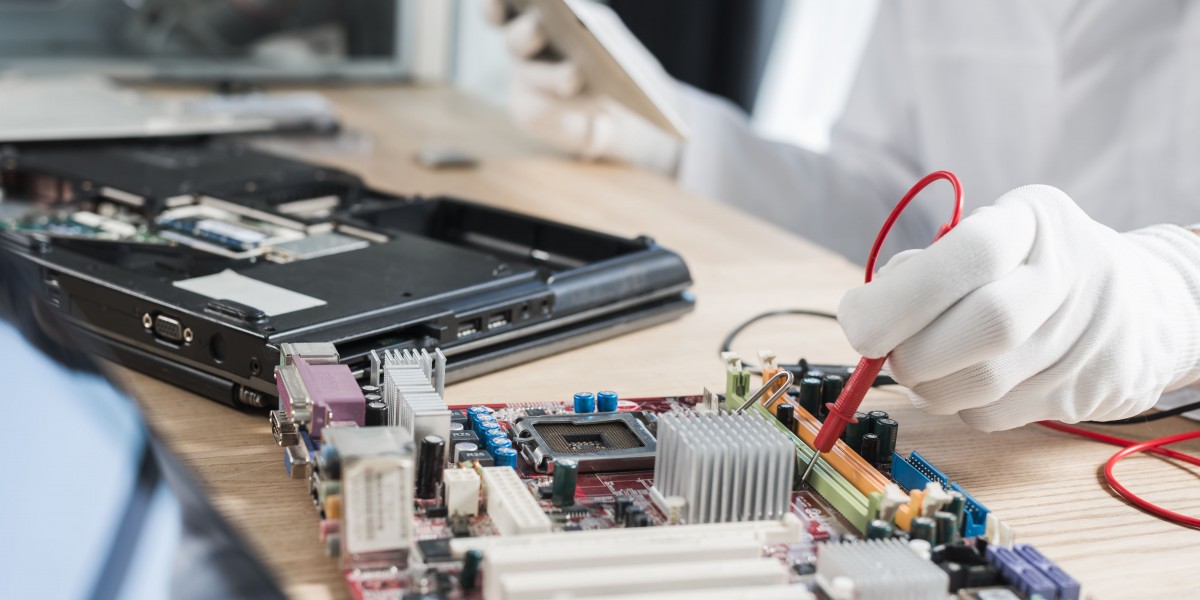
Overheating is a common issue, particularly for laptops used on beds or couches. Dust buildup, blocked vents, or failing cooling fans can cause systems to shut down unexpectedly or run loudly.
How to fix it:
Clean air vents regularly
Use laptops on hard, flat surfaces
Replace thermal paste or cooling fans if needed
Ignoring overheating can lead to permanent hardware damage, so timely repair is critical.
5. Blue Screen Errors and System Crashes
Windows users across the U.S. are familiar with the dreaded Blue Screen of Death (BSOD). These crashes are usually caused by driver conflicts, faulty hardware, or corrupted system files.
How to fix it:
Update drivers and Windows
Run system diagnostics
Remove recently installed hardware or software
Frequent crashes indicate deeper issues that should be addressed by a repair professional.
6. Hardware Failures
Hard drives, batteries, keyboards, screens, and power supplies all wear out over time. Laptop battery issues are particularly common, as batteries degrade after a few years of use.
How to fix it:
Replace failing components
Upgrade outdated hardware
Back up important data regularly
Repairing or upgrading hardware is often far more affordable than purchasing a new computer.
7. Software Update Problems
Failed updates can cause boot loops, frozen screens, or missing features. Many Americans experience issues during major Windows or macOS updates.
How to fix it:
Free up disk space before updates
Back up data prior to installation
Roll back problematic updates if necessary
Professional technicians can safely resolve update failures without data loss.
8. Data Loss and Backup Failures
Accidental deletion, hardware failure, or malware can lead to data loss. Unfortunately, many U.S. users don’t back up their data regularly.
How to fix it:
Use cloud backups and external drives
Schedule automatic backups
Seek professional data recovery for failed drives
Early action improves the chances of successful data recovery.
When to Call a Professional
While some computer issues can be fixed at home, persistent problems often require expert diagnosis. A professional computer repair service can save time, protect data, and extend the life of your device.
Final Thoughts
Computer problems are an unavoidable part of modern life in the United States, but most issues are preventable or repairable. Regular maintenance, safe browsing habits, and timely professional repairs can keep your system running smoothly for years.